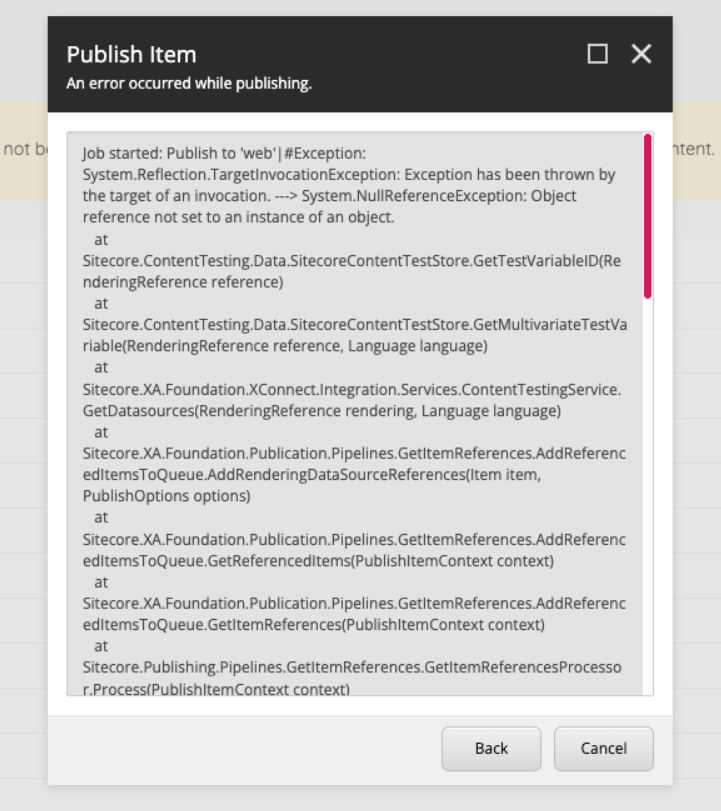

If you’ve ever seen the following error when publishing an item in Sitecore XP 10.4, you’re not alone:
Exception: System.NullReferenceException Message:
Object reference not set to an instance of an object.
Source: Sitecore.ContentTesting at Sitecore.ContentTesting.Data.SitecoreContentTestStore.GetTestVariableID(RenderingReference reference) at Sitecore.ContentTesting.Data.SitecoreContentTestStore.GetMultivariateTestVariable(RenderingReference reference, Language language) at
Sitecore.XA.Foundation.XConnect.Integration.Services.ContentTestingService.GetDatasources(RenderingReference rendering, Language language) at
Sitecore.XA.Foundation.Publication.Pipelines.GetItemReferences.AddReferencedItemsToQueue.AddRenderingDataSourceReferences(Item item, PublishOptions options) at Sitecore.XA.Foundation.Publication.Pipelines.GetItemReferences.AddReferencedItemsToQueue.GetReferencedItems(PublishItemContext context) at Sitecore.XA.Foundation.Publication.Pipelines.GetItemReferences.AddReferencedItemsToQueue.GetItemReferences(PublishItemContext context) at Sitecore.Publishing.Pipelines.GetItemReferences.GetItemReferencesProcessor.Process(PublishItemContext context) at (Object , Object ) at Sitecore.Pipelines.CorePipeline.Run(PipelineArgs args) at Sitecore.Pipelines.DefaultCorePipelineManager.Run(String pipelineName, PipelineArgs args, String pipelineDomain, Boolean failIfNotExists) at Sitecore.Pipelines.DefaultCorePipelineManager.Run(String pipelineName, PipelineArgs args, Boolean failIfNotExists) at Sitecore.Publishing.Pipelines.GetItemReferences.GetItemReferencesPipeline.Run(PublishItemContext context, Boolean failIfNotExists) at (Object , Object ) at Sitecore.Pipelines.CorePipeline.Run(PipelineArgs args) at Sitecore.Pipelines.DefaultCorePipelineManager.Run(String pipelineName, PipelineArgs args, String pipelineDomain, Boolean failIfNotExists) at Sitecore.Pipelines.DefaultCorePipelineManager.Run(String pipelineName, PipelineArgs args, String pipelineDomain) at Sitecore.Publishing.Pipelines.PublishItem.PublishItemPipeline.Run(PublishItemContext context) at Sitecore.Publishing.Pipelines.Publish.ProcessQueue.ProcessPublishingCandidate(PublishingCandidate entry, PublishContext context, List1& referrers, List1& children) at Sitecore.Publishing.Pipelines.Publish.ProcessQueue.ProcessPublishingCandidate(PublishingCandidate entry, PublishContext context) at Sitecore.Publishing.Pipelines.Publish.ProcessQueue.ProcessEntries(IEnumerable1 entries, PublishContext context) at Sitecore.Publishing.Pipelines.Publish.ProcessQueue.ProcessEntries(PublishContext context)At first glance, this error looks related to Content Testing (A/B or multivariate testing), and Gabriel Baldeon’s post may help you.
However, in my case, the issue had nothing to do with any active test.
The Issue
After some investigation, I found out that when publishing a specific content item, Sitecore was also publishing its template.
That template contained several Orphan Renderings (aka Unknown Renderings), layout definitions pointing to renderings or datasources that no longer exist.
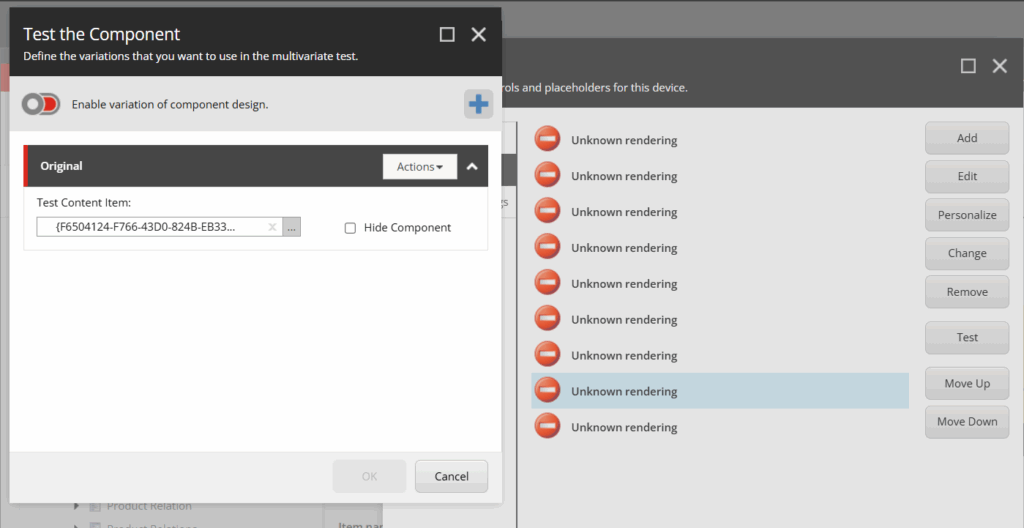
It’s not totally clear, but it seems that in Sitecore 10, during the publish process, SXA and Content Testing try to collect rendering information (to handle test variables and referenced items).
If a rendering reference is invalid, Sitecore throws a NullReferenceException instead of skipping it.
The Solution
Once I removed all orphan renderings from the template, publishing worked normally again.
You can identify orphan renderings easily using a PowerShell script similar to the one I shared previously in this post:
👉 Identifying and removing unknown renderings
This script scans items’ layout definitions and highlights renderings that have Unknown Renderings.
Leave a Reply